Platform Admin
If you are a Platform Admin, you can use the Administration Console as described below.
Please note that as a Platform Admin, you do not have access to the user interface (when you log in, you are presented with the Admin Console, and you cannot click the Settings button on the user interface).
There are four sections in the Administration Console: Administration, Governance, Sites, and Recent Actions.
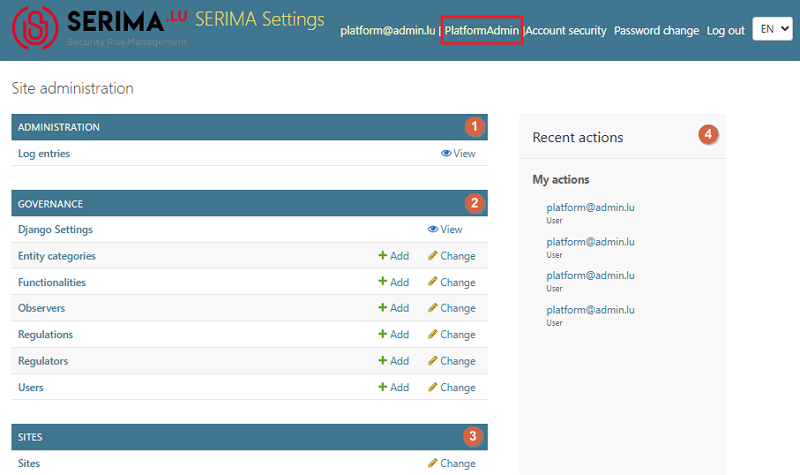
The Platform Admin has very special rights and scope of activities as follows:
Creates a common database for all regulators and the users of the regulators
Configures the server and the regulator users
Sets up the admin platform
Creates workflows